
 See Our Latest Article on HelloNation
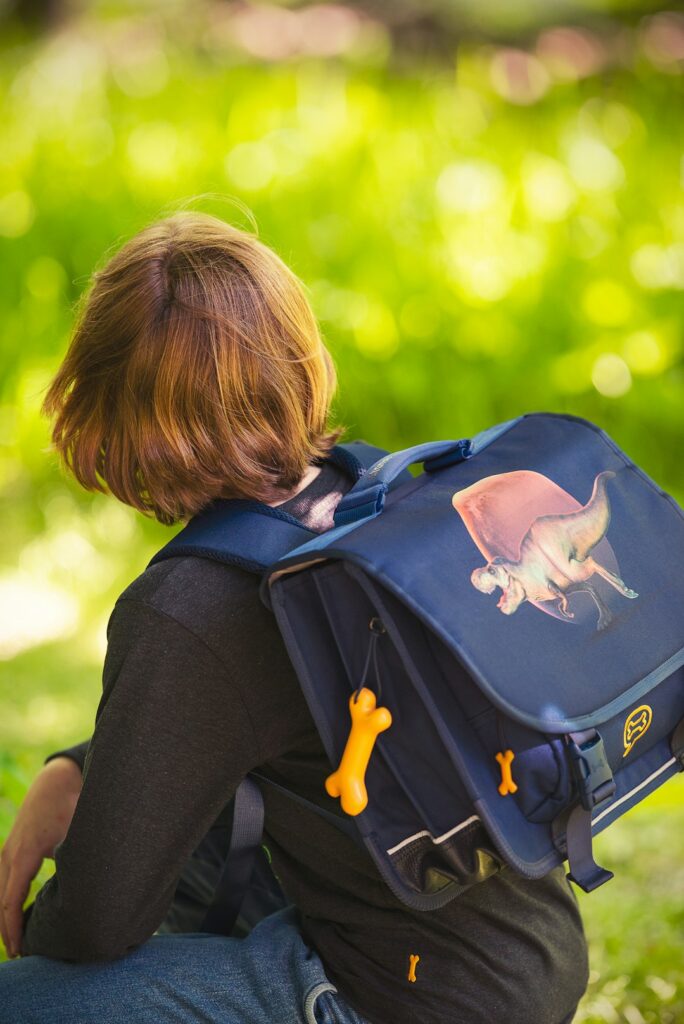
Children and students spend long periods sitting, reading, typing, carrying backpacks, and using phones or tablets. Ergonomics—the way a person fits into a task or workspace—can reduce unnecessary strain and make schoolwork more comfortable.
For families in New Paltz, changing weather and seasonal routines may also affect where children study. A child may work at a kitchen table, on a couch during a snow day, at a library desk, or outdoors during warmer months. The goal is not perfect posture in every setting. The goal is a supportive setup with regular movement and attention to early signs of discomfort.
What does good ergonomics mean for a child?
Good ergonomics means arranging the body, furniture, school supplies, and technology so that joints remain in comfortable positions and muscles do not have to work harder than necessary.
A useful study position usually includes:
- Feet supported on the floor or on a stable footrest
- Knees near the level of the hips
- Shoulders relaxed rather than raised
- Elbows close to the body
- The head balanced over the shoulders instead of drifting far forward
- The lower back supported by the chair or a small cushion
- Frequently used items within easy reach
No single posture should be maintained for hours. Even a well-arranged desk can become uncomfortable if a child stays still too long.
How should a child’s desk or homework space be arranged?
The chair and work surface should fit the child rather than forcing the child to adapt to adult-sized furniture. If the feet do not reach the floor, a box or sturdy footrest can provide support. Dangling legs may cause a child to slide forward or brace against the chair.
The work surface should allow the child to write or type with the shoulders relaxed. If the desk is too high, the child may lift the shoulders or bend the wrists. If it is too low, the child may hunch over the work.
For computer-based assignments, place the screen directly in front of the child. The top portion of the screen should generally be near eye level, although younger children may need adjustments based on their height and the type of device. A laptop placed flat on a table often causes the child to look downward for long periods. A separate keyboard or a raised screen can help when extended computer work is required.
Glare can also lead to awkward positioning. During bright winter or summer days, adjust blinds, curtains, or the screen angle so the child does not lean forward or twist to see clearly.
What is the safest way to carry a school backpack?
A backpack should be light enough that the child can walk normally without leaning forward, shrugging the shoulders, or struggling to lift it. A commonly used guideline is to keep the loaded backpack at about 10% to 15% of the child’s body weight, although comfort, body size, and the child’s ability to carry it safely also matter.
The backpack should have two wide, padded shoulder straps. Using only one strap shifts the load to one side and may encourage uneven shoulder and trunk positioning. The bottom of the pack should rest near the lower back rather than hanging well below the hips.
Packing matters as much as the backpack itself:
- Place heavier items close to the child’s back.
- Remove papers, books, and equipment that are not needed that day.
- Use smaller compartments to prevent contents from shifting.
- Keep sharp or rigid objects away from the back.
- Use a waist or chest strap if the backpack has one and the child finds it comfortable.
Children should bend at the knees when lifting a loaded bag from the floor. If the backpack causes pain, numbness, tingling, skin irritation, or difficulty walking, it should be emptied and refitted rather than simply worn through the discomfort.
How often should students take movement breaks?
Students should change position frequently instead of waiting until the neck, back, or hands hurt. Short movement breaks can include standing, walking to get water, stretching the arms, or switching from typing to reading on paper.
For younger children, movement can be built into homework naturally. A child might complete a few math problems, stand to organize supplies, then return to the desk. Older students can use breaks between assignments or study blocks to walk, move the shoulders, and look away from the screen.
A break does not need to be intense exercise. The purpose is to interrupt a static posture and allow tired muscles and joints to move. Long periods of sitting on a couch, bed, or floor can be especially tiring because these surfaces provide inconsistent support.
Are phones and tablets a problem for posture?
The device itself is not automatically harmful, but prolonged downward viewing can strain the neck and upper back. Children often hold phones close to the lap, which places the head well in front of the shoulders.
Helpful habits include:

- Raise the device closer to eye level when practical.
- Support the forearms instead of holding the device unsupported for long periods.
- Alternate hands and positions.
- Avoid using a phone while lying in a twisted or unsupported position.
- Take regular visual and movement breaks.
For reading, a stand or a few stable books can raise a tablet without requiring the child to hold it continuously. The setup should remain stable and should not create a tripping hazard.
What ergonomic habits help with handwriting and drawing?
Children who write or draw for long periods may grip pencils too tightly, bend the wrist sharply, or lean their torso far over the page. The paper should be positioned so the child can see it without twisting the neck. A slight angle may be comfortable for some children, especially during extended writing.
The writing hand should move freely, while the opposite hand stabilizes the paper. Frequent pauses can reduce hand fatigue. Pencil grips are not required for every child, but they may help if a child has difficulty controlling the pencil or maintains excessive finger tension.
For children who are still developing fine-motor skills, fatigue is expected. A tired hand may benefit more from a short break than from repeated reminders to “fix” the grip.
What should parents watch for?
Occasional tiredness after school is common. Persistent or worsening symptoms deserve more attention, particularly if discomfort interferes with sleep, school participation, sports, handwriting, or daily activities.
Watch for:
- Repeated neck, back, shoulder, wrist, or hand pain
- Numbness, tingling, or weakness
- Frequent headaches associated with screen or desk work
- A child consistently leaning, twisting, or avoiding a task
- Difficulty carrying or lifting a backpack
- Pain that continues after changing the workstation and taking breaks
A child with significant pain, weakness, loss of coordination, an injury, or symptoms that do not improve should be evaluated by an appropriate healthcare professional. Ergonomic changes can reduce strain, but they do not replace medical assessment when symptoms are persistent or severe.
Simple adjustments—supporting the feet, lightening the backpack, raising a screen, and building movement into homework—can make school routines more comfortable without requiring expensive equipment. The most effective approach is usually the one a child can use consistently at home, in the classroom, and during seasonal changes in daily routines.
